The @push_to_prod Pattern
Builds on temp tables over variables. Start there if you haven’t.
I deployed a large refactor on a procedure that powers the grain table for an important internal API. Data wasn't showing up. One execution with @push_to_prod = 0 and I could see every temp table, every step in the transformation. The proc was clean. Problem was upstream. I knew in seconds.
There's a story in the data as it transforms. This pattern lets you read it.
Default to Zero
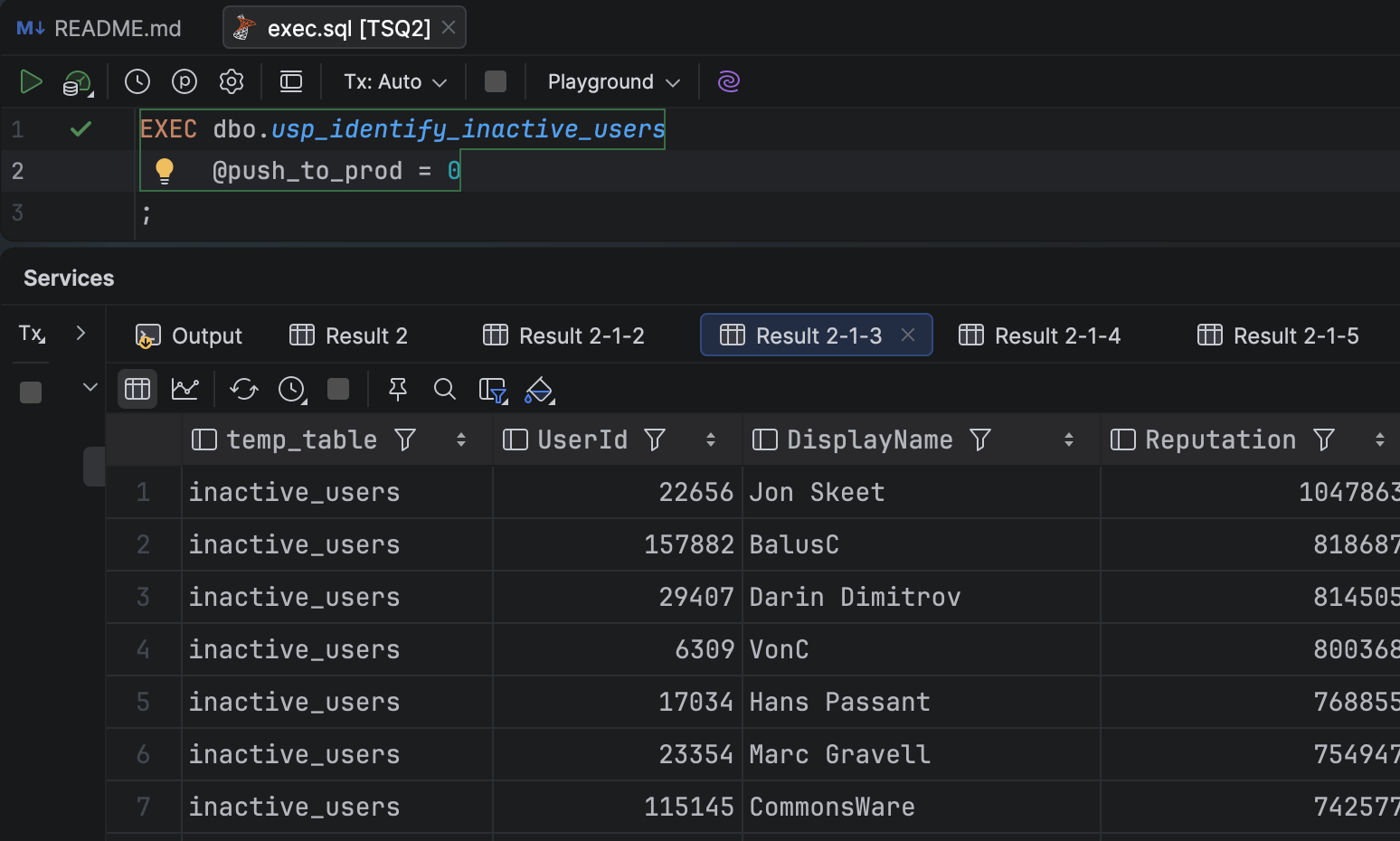
Every stored procedure I write that modifies data gets this parameter:

The default is 0. When you execute the proc without specifying it, nothing gets written. All the prep work still runs. Your temp tables get built. Your data gets shaped. The write is gated behind an explicit opt-in.
You have to mean it.
The ELSE Block Is the Real Story
The @push_to_prod check isn't just a safety net. The ELSE branch is doing real work:
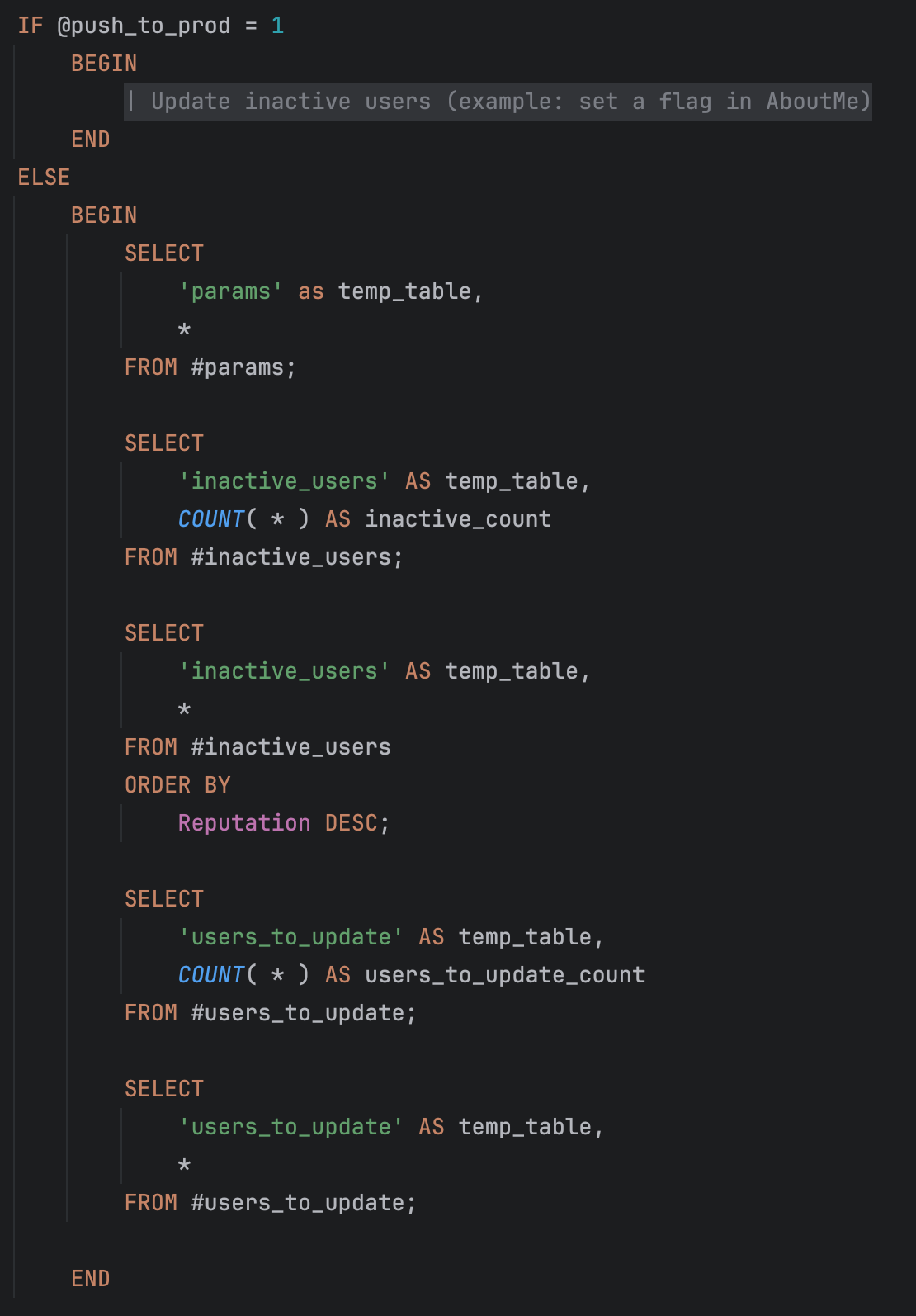
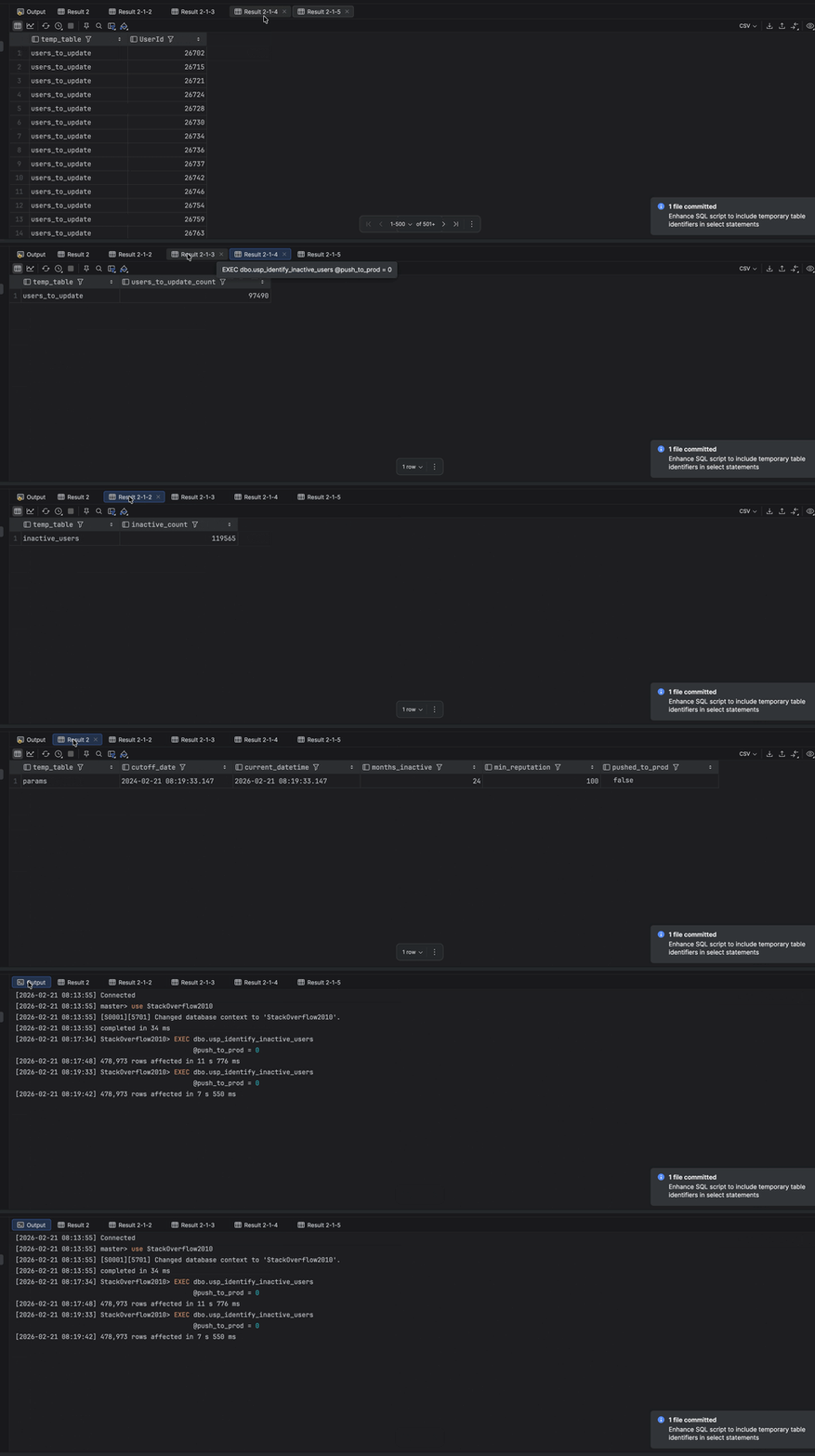
When you run the proc with the default, you get back a full diagnostic: your parameters, row counts, and the actual rows that would be modified. That's not an accident. It's a built-in preview mode.
Each result set maps to one temp table. Each temp table does one thing. When something looks wrong in the preview, you know exactly which step to look at.
Verify, Then Commit
The workflow is simple:
Run the proc with the default
0Review the result sets
When the data looks right, run it with
@push_to_prod = 1
Yes, it's more boilerplate upfront. But as I wrote about with temp tables, the cost is worth it. You're the human in the loop. You should be able to see each step before you commit to it.
Run it without the flag until you're confident. Then flip it.